
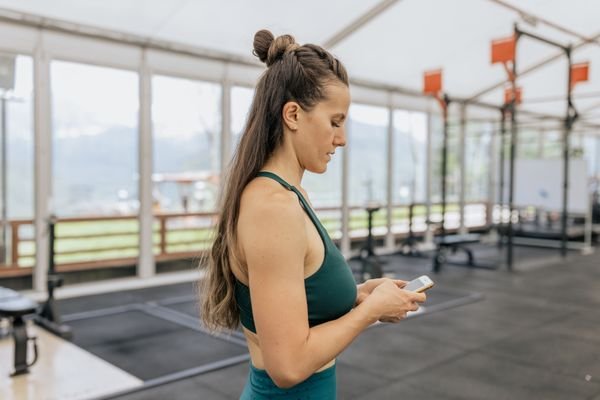
Staying active is easier when a little help fits in your pocket. The best apps for fitness can guide your workouts, track your steps, and keep you motivated on days when the couch looks more inviting than the gym.
You need the one you will actually open tomorrow, next week, and next month. This guide looks at the main types of fitness apps and how to pick the right fit for your goals and routine.
What Makes a Great Fitness App?
A good fitness app fits into your life without adding stress, and it gives you clear, useful information instead of noise.
First, it should match your goal. Second, it should be easy to use. If it takes ten taps to log a walk, you will stop logging walks. Look for a clean home screen and a quick way to start a workout.
Third, it should keep you coming back without nagging you. Gentle reminders and simple progress charts help. Finally, it should respect your privacy and your budget. Check what is included for free before paying for any upgrade.
Best Apps for Fitness by Category
There is no single app that does everything well for everyone. Pick one app for your main activity and, if you want, one more for a supporting habit.
Workout and Strength Training Apps
Workout apps give you structured sessions to follow, so you do not have to plan every exercise yourself. Nike Training Club is one of the best-known options, offering guided workouts for different levels. The Peloton app is another popular choice, known for instructor-led classes.
If you are short on time, the 7 Minute Workout app is built around quick circuits you can do at home with little or no equipment. Many people pair a workout app with a simple home plan, and our guide to easy home workout plans for busy parents has ideas that work around a packed schedule.
Running and Walking Apps
Running apps use your phone’s GPS to track distance, pace, and route. Strava is one of the most widely used running and cycling apps, popular with people who enjoy sharing activities with friends and joining friendly challenges.
For walking, a simple walking app may be all you need. The benefits of walking 30 minutes a day go well beyond burning calories. If you are new to running, look for a beginner plan that mixes walking and running, so you build up gradually.
Food and Nutrition Tracking Apps
Food tracking apps help you notice patterns in what you eat, rather than judging every meal. MyFitnessPal is the best-known app in this category, with a barcode scanner that makes logging packaged foods quick.
These apps work best as a learning tool, not a strict rulebook. Logging meals for a week or two can show you where your protein, fibre, or water intake might need attention. A food app should never make you feel guilty about eating. If tracking starts to feel stressful, take a break or use it more loosely.
Yoga, Stretching, and Mindfulness Apps
Yoga and stretching apps offer guided sessions you can do at home, usually with video or audio instruction. They range from short five-minute stretches to full-length yoga classes.
Stretching is a good partner to any workout routine. Our guide to the best stretches for flexibility explains simple stretches you can try alongside an app session. Some apps in this group also include short breathing exercises or guided relaxation.
Sleep and Recovery Apps
Sleep is part of fitness, not separate from it. Your body repairs and rebuilds during sleep, and a tired body performs worse and recovers more slowly. Sleep apps usually track bedtime, wake time, and sleep patterns.
Apple Health and Google Fit both include sleep tracking alongside activity tracking, so if you already use one of them, you may not need another app. A sleep app is most useful when it helps you build a consistent routine.
Free vs Paid Fitness Apps: What to Know
Most fitness apps offer a free version and a paid upgrade, and the free version is often enough to start. Free versions usually include basic tracking, a selection of workouts, and progress charts. Paid versions may add personalised plans or a wider workout library.
Before paying for any app, use the free version for at least a week or two. If you open it most days, an upgrade may be worth considering. If you barely open it, a paid plan will not change that. If you try a free trial, set a reminder before it ends so you can decide whether to keep it or cancel.
How to Choose the Right Fitness App for You
Start with your main goal. If you want to run regularly, pick a running app first. If you want to build strength at home, pick a workout app. One clear goal beats three vague ones.
Think about where you exercise. Some apps are built for the gym. Others are made for home workouts with little equipment, or for outdoor activities such as running and cycling. If you only have fifteen minutes a day, an app with short sessions will serve you better than one built around hour-long classes.
Finally, try it before you commit. Download one app at a time, use it for a week, and notice how it feels. The right app is the one that makes moving feel a little easier and a little more enjoyable.
Tips to Stay Consistent With a Fitness App
Downloading an app is the easy part. Using it regularly is where most people struggle, and that is normal.
Set a small, specific goal to start with, such as three short workouts a week or a daily step target that feels realistic. Link your app use to something you already do, such as opening your workout app right after your morning coffee.
Use the app’s reminders, but keep them gentle. One reminder at the time you actually exercise is more helpful than several throughout the day. If you miss a day, do not treat it as a failure. Just open the app again the next day and carry on.
Frequently Asked Questions
Are free fitness apps good enough?
For most people, yes. Free versions usually cover the basics well, including workout guides, step counting, and simple progress tracking. Try the free version first and upgrade only if you use the app regularly and want more.
Do I need a smartwatch to use a fitness app?
No. Most fitness apps work well with just your phone, using its built-in sensors to count steps and track runs. A smartwatch or fitness band can add heart rate tracking, but it is not required.
Can a fitness app help me lose weight?
A fitness app can help by making your activity and eating habits more visible. It works best alongside steady habits such as regular movement, balanced meals, and enough sleep. No app can replace those basics, and healthy weight changes happen gradually over time.
How many fitness apps should I use at once?
One or two is usually enough. A single app for your main activity, plus one more for a supporting habit such as sleep or food tracking, covers most needs without becoming a chore.
Conclusion
The best apps for fitness are the ones that fit your life, your goals, and your schedule, and the ones you will actually use week after week. Progress comes from the small, regular steps you take.
Start with one app, use it for a week, and see how it feels. Staying active is a long-term habit, and the right app can make that habit a little easier to keep.
Disclaimer: This article is for general information only and is not medical advice. Everyone’s health needs are different, so please talk to a healthcare professional before starting a new exercise routine or making major changes to your diet, especially if you have a health condition or take regular medication.